The Process
Quanto's bid comparison engine puts every submission side by side, automatically leveled against your original template.
Unified Bid Sheet
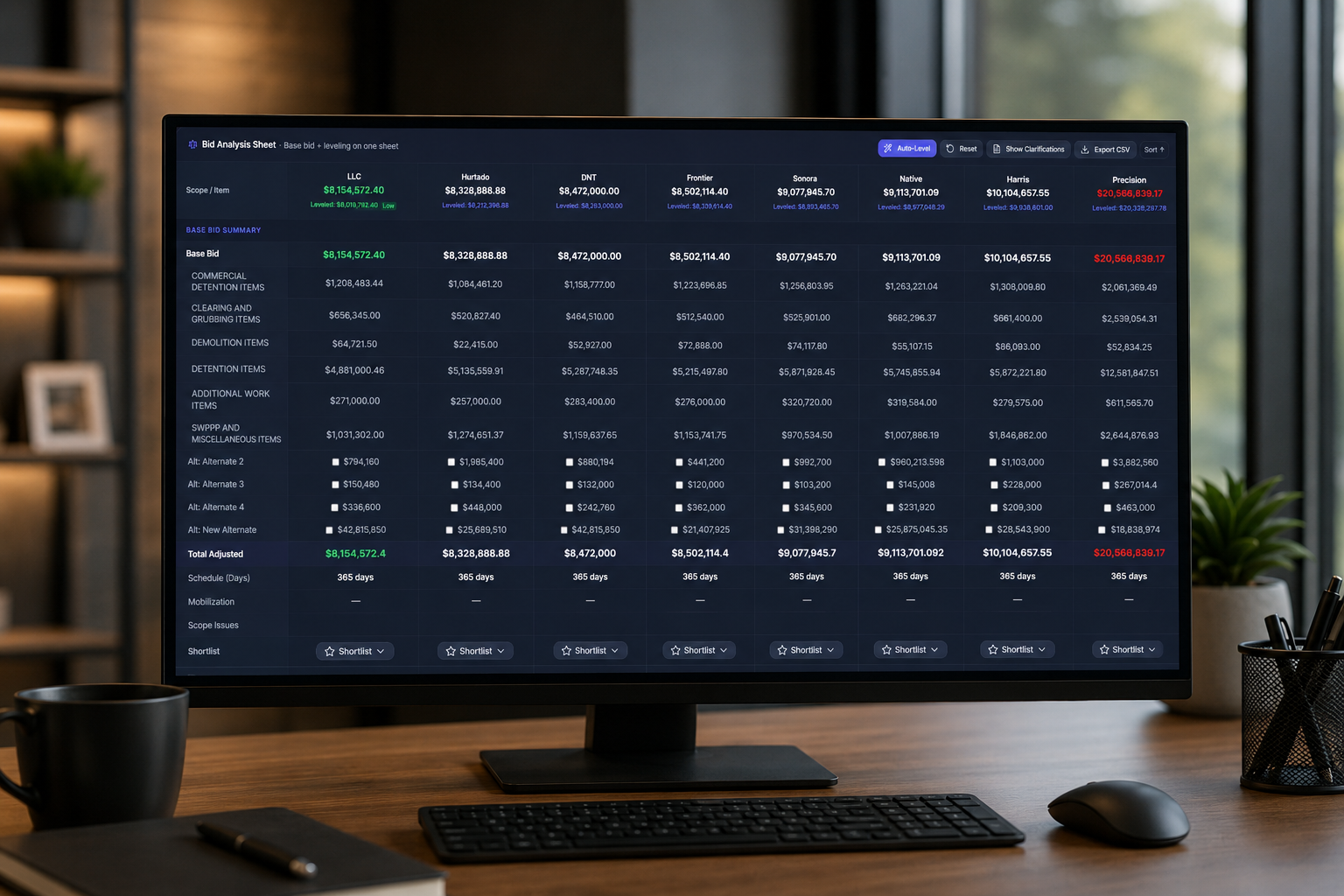
All submitted bids are displayed in a single, scrollable comparison table — each GC in a column, each scope item in a row, with subtotals and totals calculated automatically.
Automatic Bid Leveling
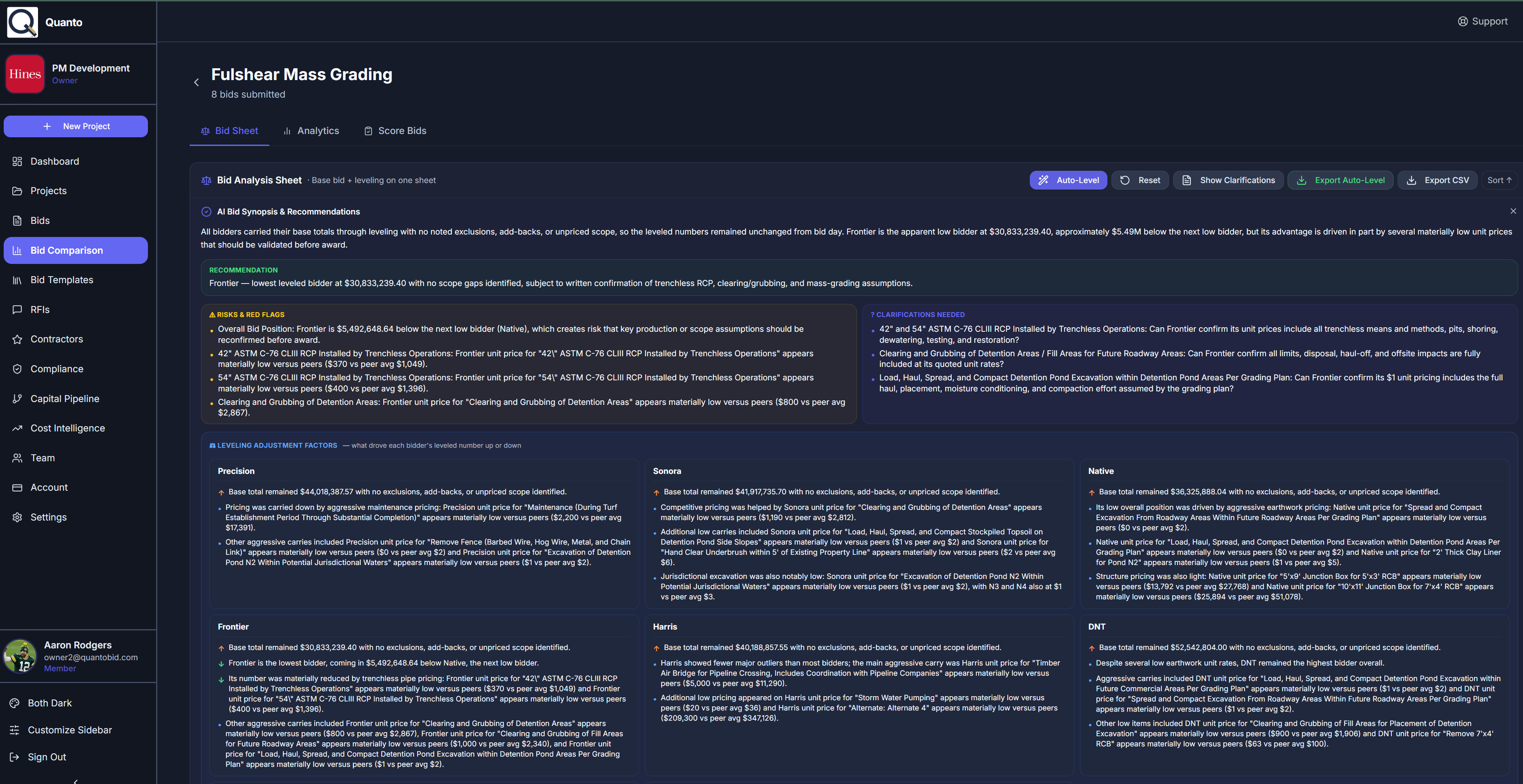
Quanto's AI applies leveling adjustments to account for scope gaps, excluded items, and alternate pricing — producing a true apples-to-apples comparison across all bidders.
Variance & Anomaly Detection
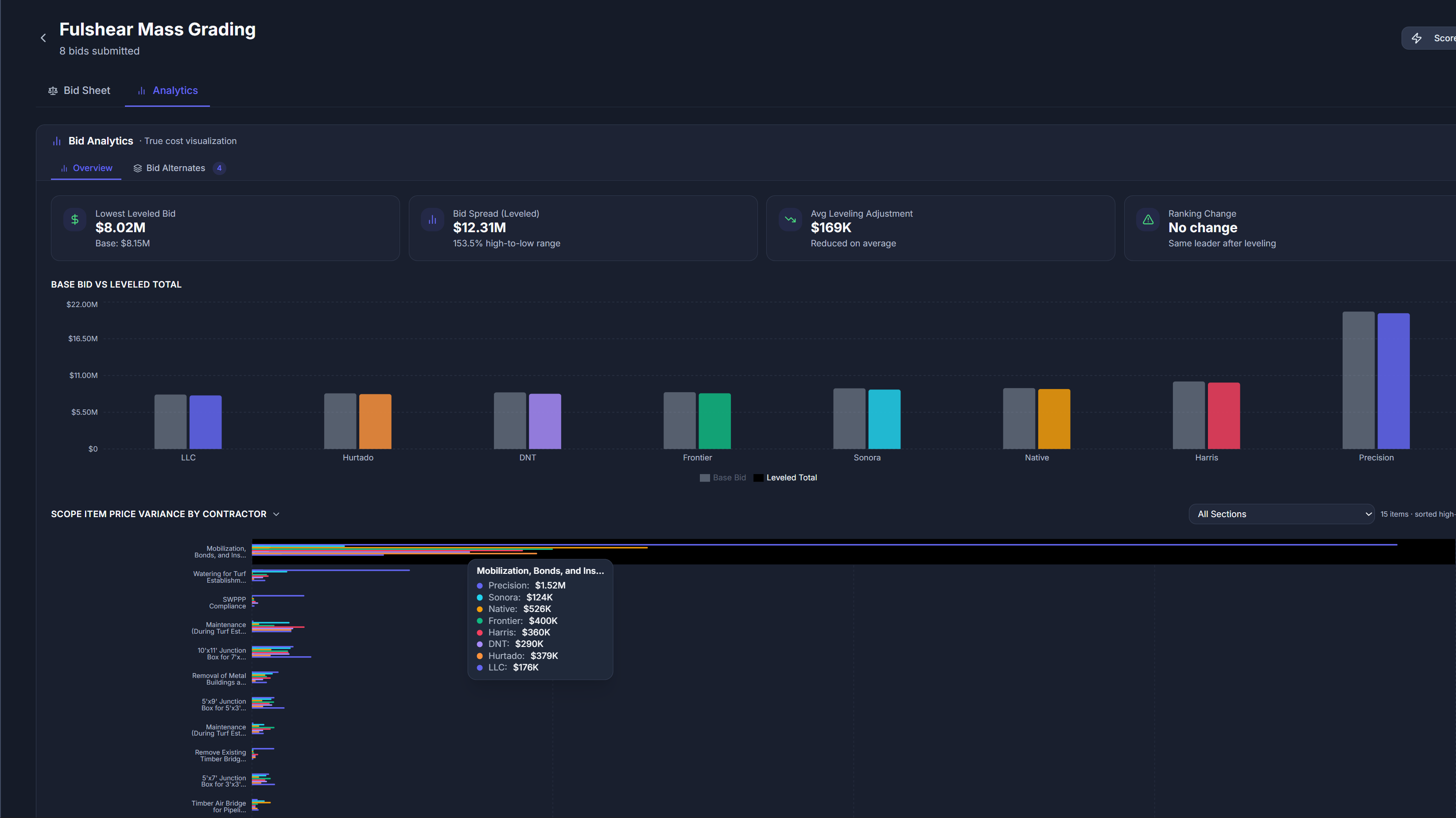
Pricing outliers are automatically highlighted — bids that are significantly above or below the average for any scope item are flagged for closer review, helping you spot red flags instantly.
Scope Gap Analysis
instantly see which GCs excluded or modified scope items, with side-by-side notes, exclusions, and assumptions from each bidder displayed inline for context.
Key Features
Powerful comparison tools that surface the insights that matter.
Unified Bid Sheet
A single table view with every bid side by side, organized by your template's scope structure and CSI divisions.
Bid Leveling Matrix
AI-applied adjustments for scope differences, with transparent notes showing exactly what was leveled and why.
Variance Highlighting
Color-coded pricing flags that draw attention to bids significantly above or below the field average per line item.
Scope Gap Detection
Automatic identification of missing or modified scope items across all bids, with per-bidder exclusion notes.
Bid Shortlisting
Mark bids as shortlisted or not shortlisted directly in the comparison view, with drag-and-drop reordering.
Export & Share
Export the comparison sheet to PDF or Excel for stakeholder review, board presentations, or archival.
We use cookies to enhance your experience. By continuing, you agree to our Cookie Policy and Privacy Policy.